Money & Settling
Splitting the bill
An overview of the split modes, including Multi-Host.
STEP 1
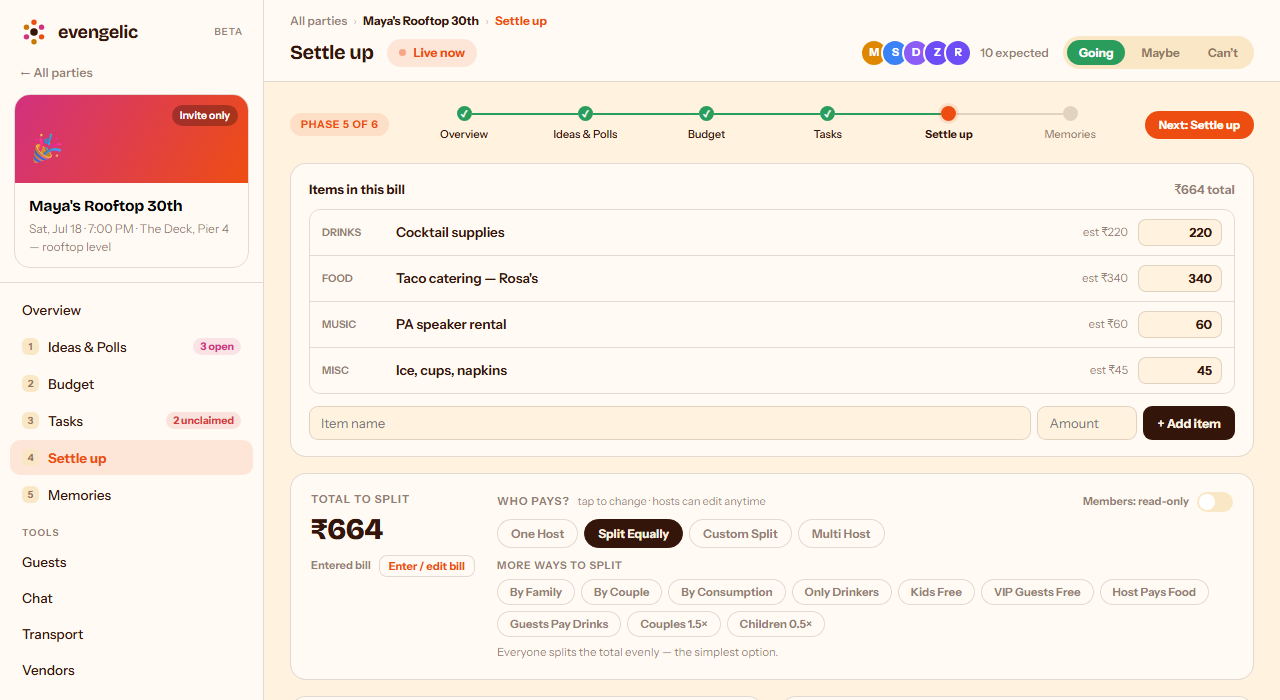
Every party has a Settle Up tab where you decide who pays what. Tap a chip under "Who pays?" to change the split — Split Equally divides the total evenly and is the simplest option. Tap into "More ways to split" for extra rules like By Couple, Only Drinkers, or Host Pays Food. You can change the mode anytime before things are marked paid.
STEP 2
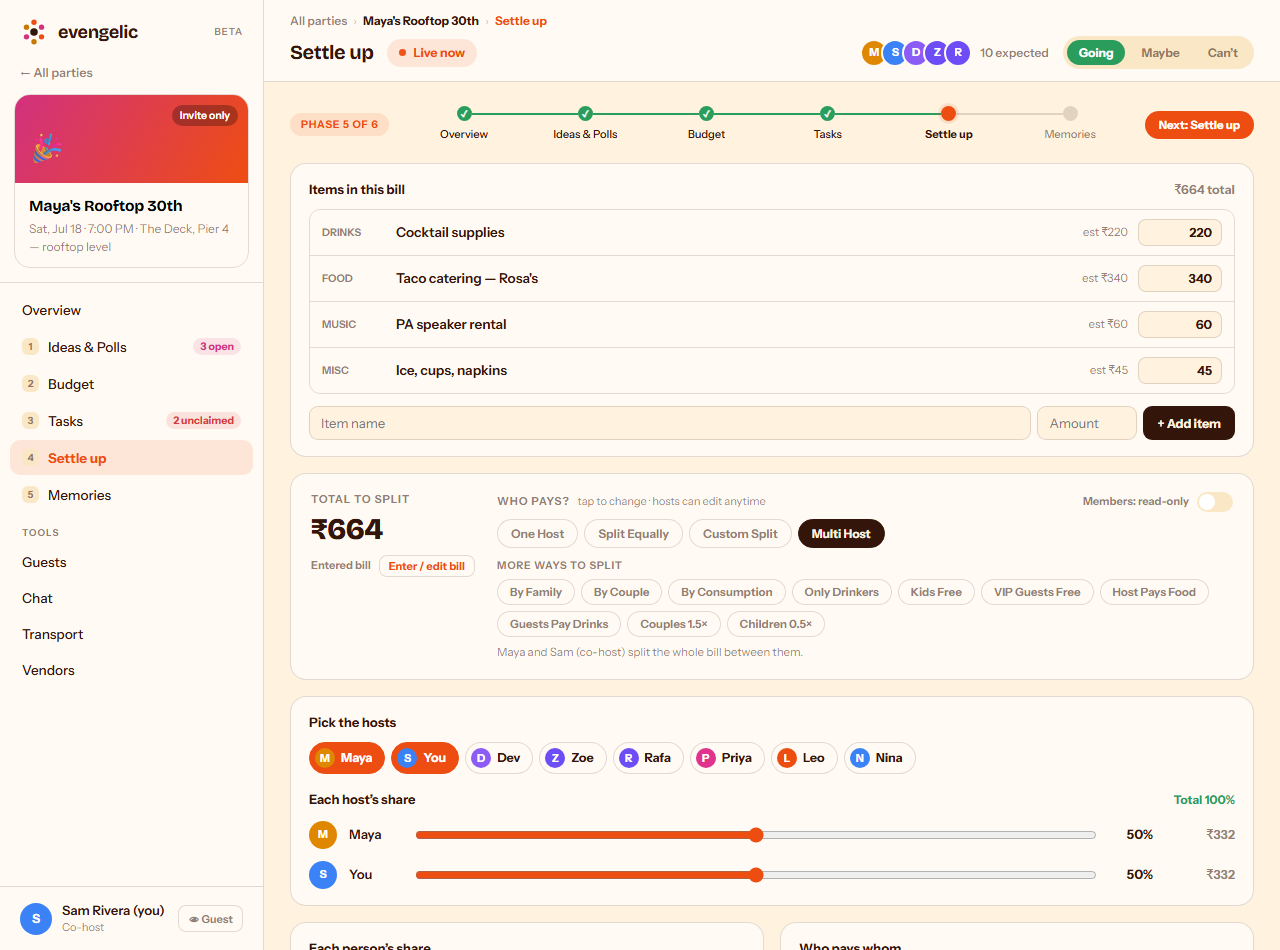
Multi Host lets a few hosts split the bill between themselves instead of the whole group — useful when two or three people are covering costs together. Tap "Pick the hosts" to choose who's splitting, then drag each slider to set their share; the percentages have to add up to 100%.
Related guides