Getting Started
Creating your first party
The wizard walkthrough — name, date, privacy, and your first invite.
STEP 1
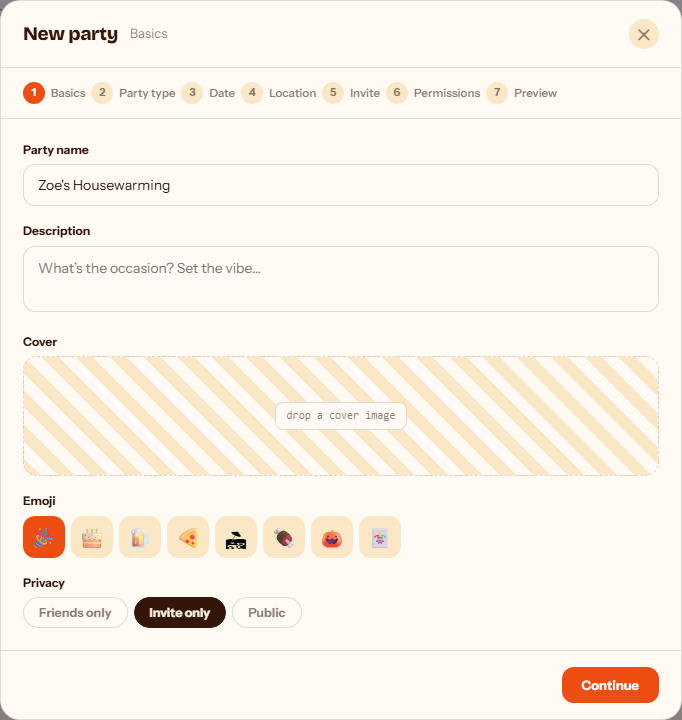
Give your party a name and choose who can see it. Invite only means only people you invite can find or join it — you can switch to Friends only or Public anytime from Settings once the party exists.
STEP 2
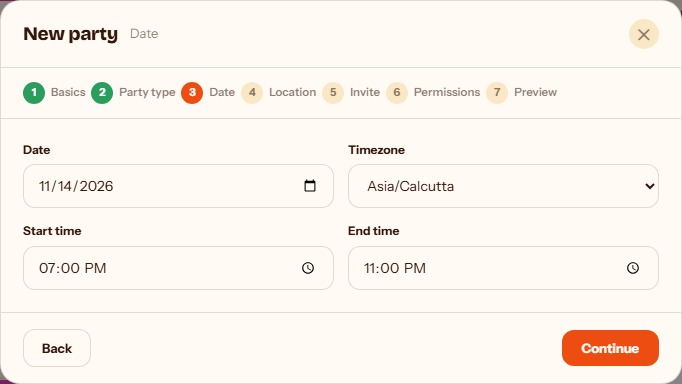
Set the date, start and end time, and your timezone. evengelic uses this to show the right countdown and to time reminders correctly for everyone invited.
STEP 3
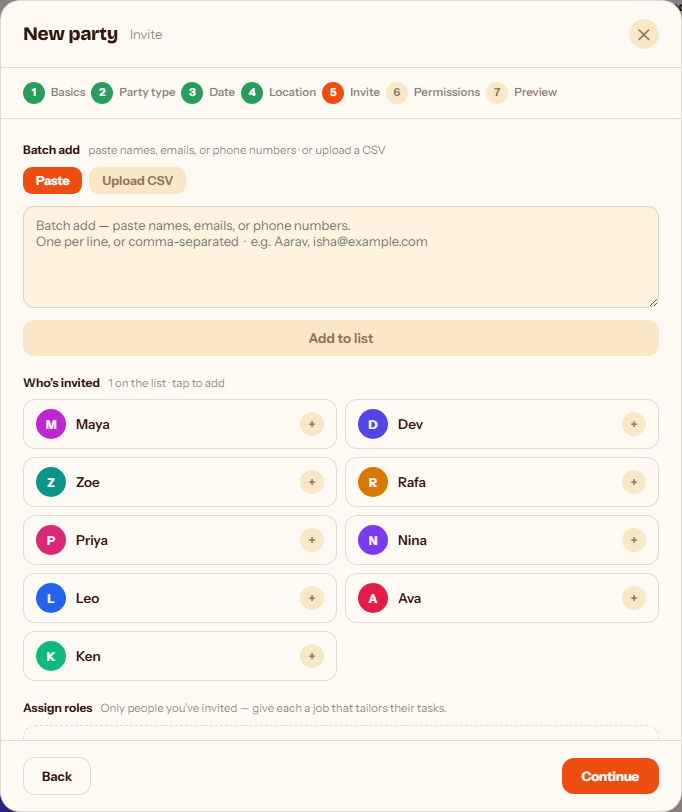
Paste names, emails, or phone numbers to invite people in bulk, or tap anyone from your friends list to add them straight from the wizard. You can always invite more people later from the party's Guests tab.
Related guides